Why TradingView Integration Is Now a Non-Negotiable for Brokerages
TradingView has 50 million users. Retail traders expect their broker's platform to match the charting experience they already know. Here's why TradingView integration has become the new industry baseline.
The 50 million user problem
TradingView is no longer just a popular charting tool. It's the dominant retail trading research platform in the world, with over 50 million registered users as of 2024. A significant and growing percentage of retail forex and CFD clients come to brokerages having already built their analysis workflow on TradingView — using its pine script indicators, drawing tools, and multi-timeframe layouts.
When those clients open your platform and find a different charting interface, there's a measurable activation cost. They need to relearn tools. Their saved indicators don't transfer. Their muscle memory is wrong. Even if your charts are technically equivalent, the perceived quality gap from TradingView creates friction that costs you conversions and retention.
What "TradingView integration" actually means
There's significant confusion in the industry about what TradingView integration entails. There are three distinct levels:
Level 1: TradingView redirect / embed
The most basic integration embeds the TradingView.com website (or redirects users to it) within an iframe inside the broker's platform. This gives clients the TradingView charting experience but provides no connection to live account data — the client cannot place trades from TradingView, and the charts don't reflect their open positions or orders.
This is better than nothing, but it's not a real integration. Clients still need to switch contexts between the chart and the order panel.
Level 2: TradingView Charting Library
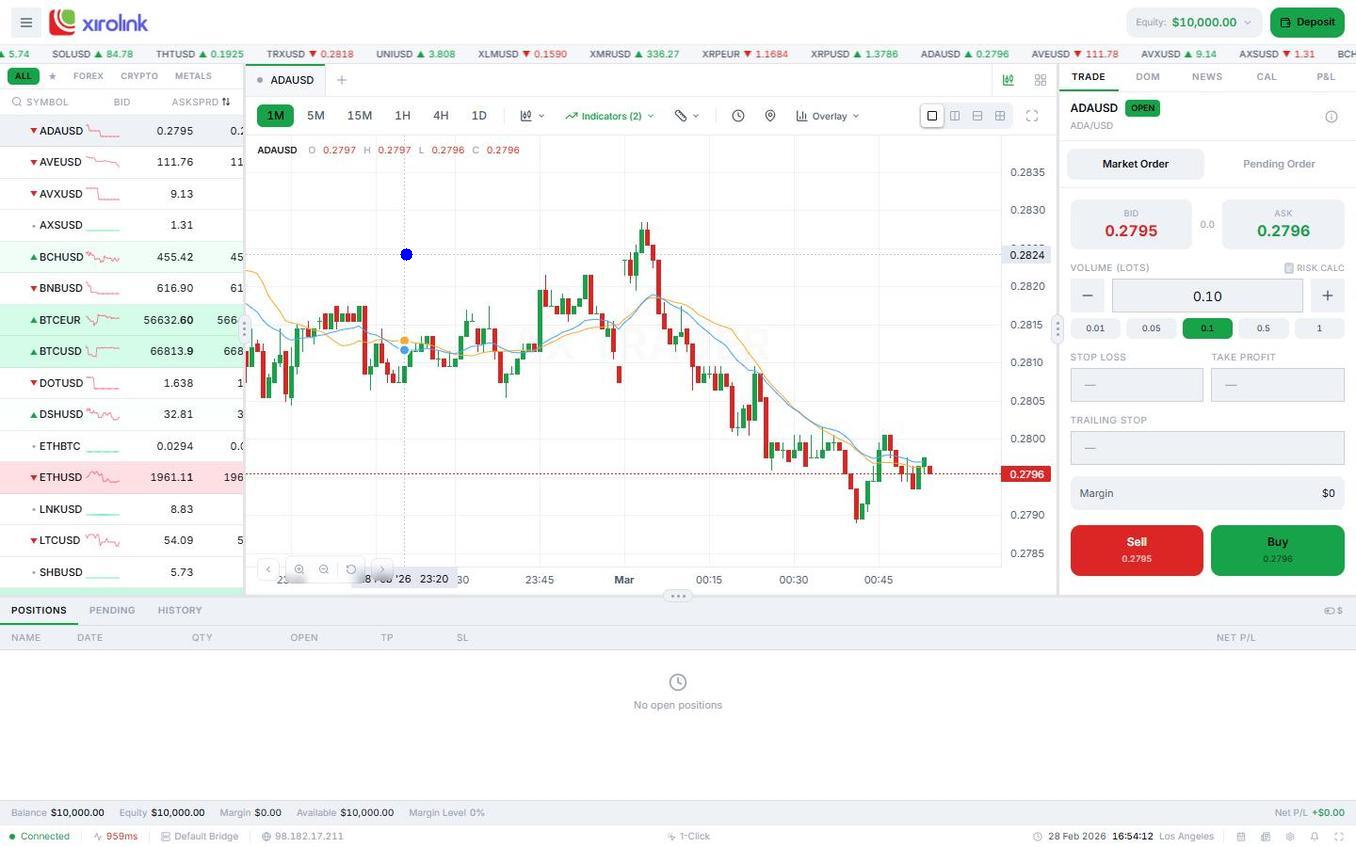
TradingView licenses its Charting Library to platforms and brokerages that meet their partner requirements. The Charting Library embeds TradingView's rendering engine directly into the broker's platform — same charts, same tools, same look and feel — but connected to the broker's live data feed and order management system.
With proper Charting Library integration, clients can:
- Place orders directly from the chart (right-click → order)
- See their open positions and pending orders on the chart as lines
- Use all 100+ built-in indicators in the context of their live account
- Save chart layouts that persist across sessions
- Access published ideas from the TradingView community (in some configurations)
This is what brokerages mean when they advertise "native TradingView integration." It requires a commercial licensing agreement with TradingView and significant development work to connect the library to the broker's order management system, position data, and historical price feed.
Level 3: TradingView Broker Integration (Pine Script trading)
The deepest level of integration — available to select partners — allows clients to execute trades triggered by Pine Script strategies running on TradingView.com directly in the broker's live platform. This is primarily relevant for algorithmic and semi-automated traders. Few brokerages currently offer this.
The business case for Level 2 integration
The return on TradingView Charting Library integration is measurable in brokerages that have made the switch:
"After launching with native TradingView charts, our trial-to-funded account conversion rate increased 31% within 60 days. New clients spent more time in the platform during their demo period, which correlated with higher funded account rates."
— Head of Product, European retail FX broker
The mechanism is straightforward: clients who already know TradingView don't need an onboarding period. They can get to the analysis they care about immediately. This reduces time-to-first-trade (a key activation metric) and reduces support volume from clients confused about the charting interface.
What TradingView integration requires technically
For brokerages evaluating platforms, it's worth understanding what TradingView Charting Library integration actually requires — both to evaluate vendor claims and to understand why some platforms don't offer it:
TradingView partnership agreement
TradingView vets partners before granting access to the Charting Library. They review the brokerage's regulatory status, reputation, and business model. This vetting process takes 4–8 weeks and not all applicants are approved. Platforms that have already completed this process — and can extend their licence to white-label clients — provide a significant shortcut.
Data feed adapter
The Charting Library requires a real-time data feed adapter — a middleware layer that converts the broker's market data feed into the format TradingView's library expects (OHLCV bars, tick-by-tick quotes, symbol metadata). Building this adapter requires backend development and ongoing maintenance as TradingView updates their API.
Broker API connection
For order placement from charts (the most valuable feature), the platform must implement TradingView's Broker API — a set of interfaces for placing, modifying, and cancelling orders, and retrieving account state (positions, orders, balance). This is a substantial development effort.
Symbol mapping
TradingView uses specific symbol naming conventions. The platform must map its internal instrument naming (e.g., "EURUSD") to TradingView's symbol scheme and resolve any discrepancies in pricing (bid/ask vs. mid-price) and trading hours.
Why MetaTrader can't offer this
MetaTrader's historical dominance is partly why MetaQuotes actively blocked TradingView integration attempts. MetaTrader has its own charting environment and its own community of indicator developers (MQL). Allowing TradingView integration would undermine their captive ecosystem.
When MetaQuotes blocked attempts to embed TradingView within MT5 terminals, they framed it as a licensing issue. The practical effect: MT5 white-label brokerages cannot offer native TradingView charting without running a separate, parallel platform — which creates UX fragmentation and doubles infrastructure costs.
Evaluating TradingView claims from platform vendors
When a trading platform vendor claims "TradingView integration," ask these specific questions:
- Is this the TradingView Charting Library or a redirect/embed of TradingView.com?
- Can clients place orders directly from the chart?
- Are open positions and pending orders visible as chart overlays?
- Are chart layouts saved and synced across devices?
- Does your TradingView licence cover white-label clients, or would each brokerage need to negotiate their own agreement?
- What version of the Charting Library are you running, and what's your update cadence?
The indicator ecosystem advantage
One of the less-discussed benefits of TradingView Charting Library integration is access to the indicator ecosystem. TradingView's Pine Script has become the most widely-used language for creating custom technical indicators in retail trading. The TradingView community has published hundreds of thousands of open-source indicators.
When your platform uses the Charting Library, clients can access these community indicators directly. This eliminates one of the main advantages previously held by MT4/MT5 — the MQL indicator ecosystem. Many custom MT4 indicators have been recreated as Pine Script scripts, and the TradingView community creates new ones continuously.
TradingView as a client acquisition channel
Beyond the UX benefits, some brokerages with the deepest TradingView integration have begun treating TradingView.com itself as a client acquisition channel. TradingView has a "broker integration" feature that allows registered TradingView users to connect their brokerage account and execute trades directly from TradingView.com — without ever visiting the broker's website.
This is a fundamentally different distribution model: instead of competing for traffic on Google or Facebook, the broker appears natively in a platform that already has the traders' attention. This is currently available only to brokerages with the deepest tier of TradingView partnership, but it represents the direction the industry is moving.
Implementation timeline and what to expect
For brokerages launching on a platform that already includes TradingView Charting Library integration (as NaxTrader does), there's no additional implementation work. The integration is part of the platform from day one, and white-label clients get native TradingView charts included.
For brokerages building custom technology or extending legacy platforms, realistic implementation timelines are:
- TradingView partnership approval: 4–8 weeks
- Data feed adapter development: 6–12 weeks (depending on existing infrastructure)
- Broker API implementation: 8–16 weeks
- Testing and QA: 4–6 weeks
- Total: 5–10 months for a full, production-ready integration
For most brokerages, choosing a platform that already has this integration built and licensed is the more efficient path. The TradingView standard is not going away — it's becoming the baseline expectation for any professional retail trading platform.